
A GPS app for metal detecting, made by a detectorist
Your path draws on the map as you walk, so the strips you missed are easy to spot. Every find is pinned where you dug it. Switch to an old topo map and you can see where houses and roads stood decades ago.
Free to install. Android only, on Google Play.
What used to be there
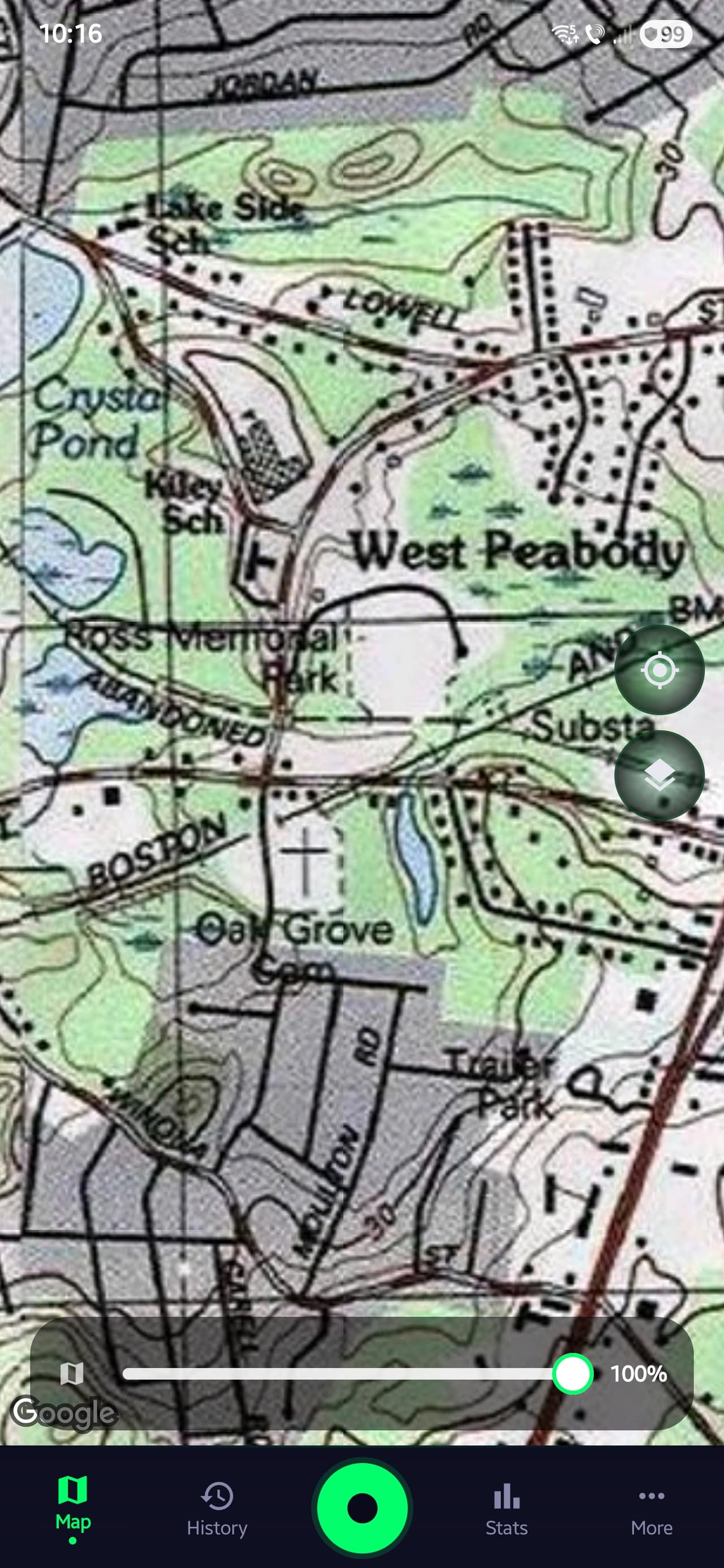
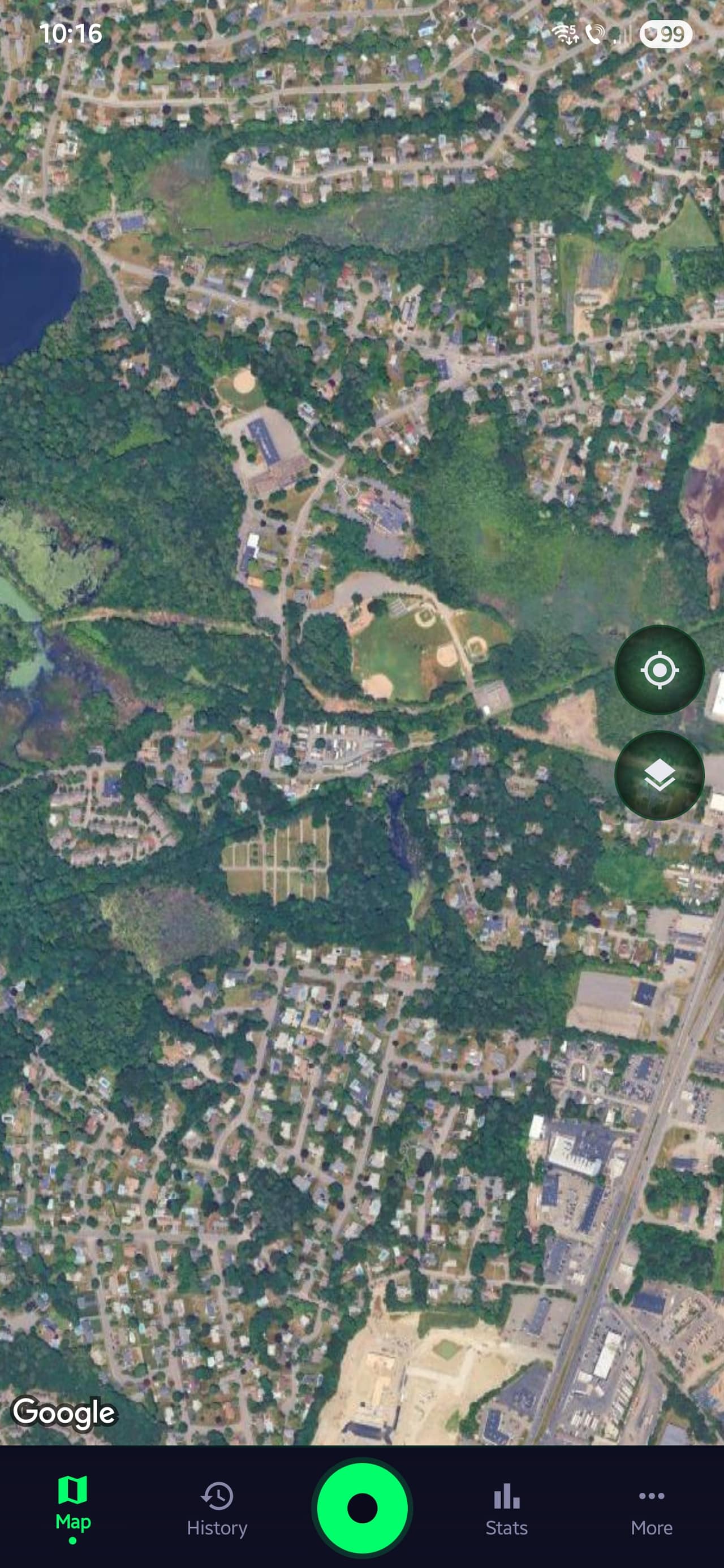
Drag across to compare today's satellite view with a historical USGS topo of the same area. Old maps show schools, farmhouses, and rail lines that disappeared from modern maps long ago. Those spots are worth a closer look, and worth asking the landowner about.
The historical layer is part of Pro and covers the US and Romania. In the app it's one tap to switch to it, and you can download it for offline use.
 USGS Historical Topo
 Modern Satellite View
What's in the app
GPS tracking, find logging, permission management, offline maps, and session analytics in one Android app.
How it fits into a detecting trip
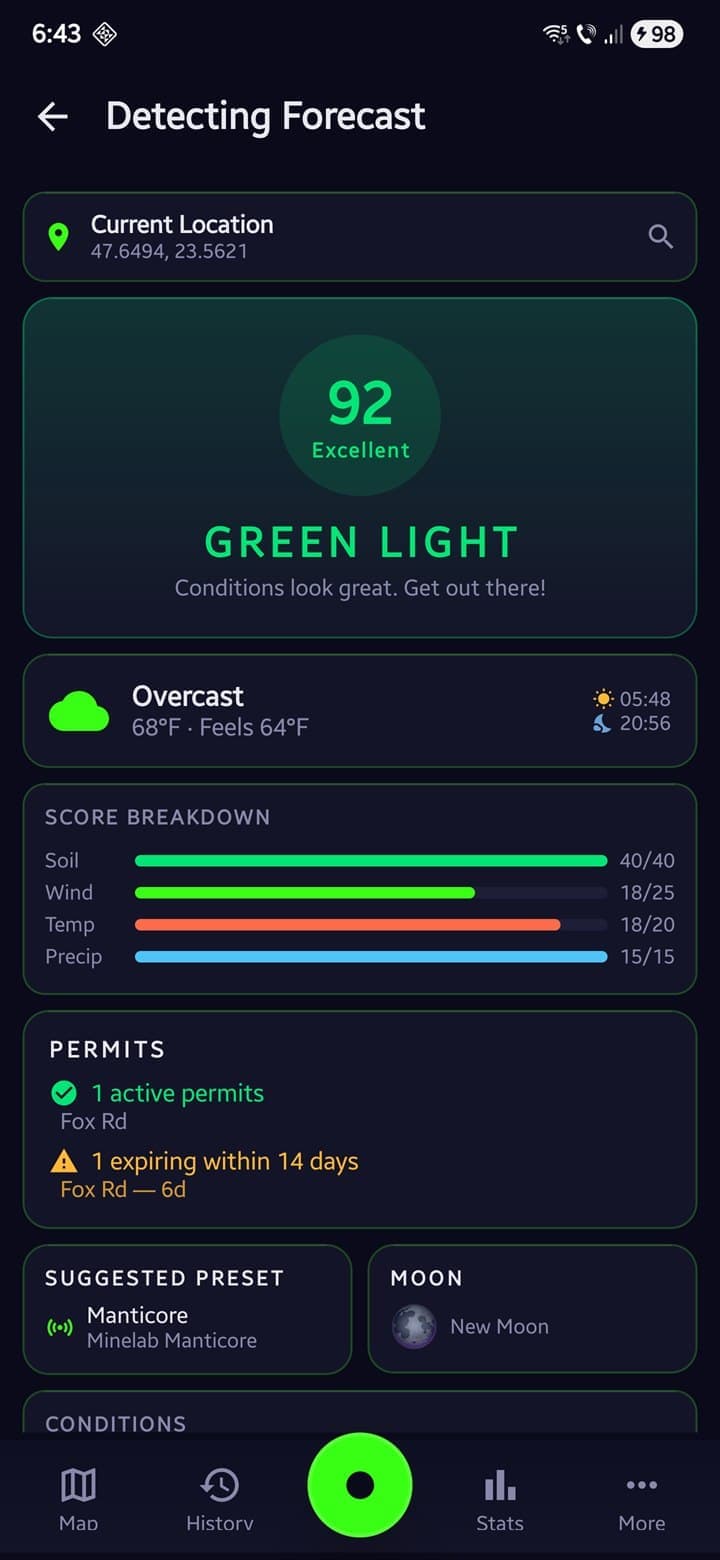
Before you go
Check the Detecting Forecast for soil moisture, wind, and the daily score. Use the USGS historical overlay to spot old homesteads and structures, then drop a waypoint on the spot you want to detect.
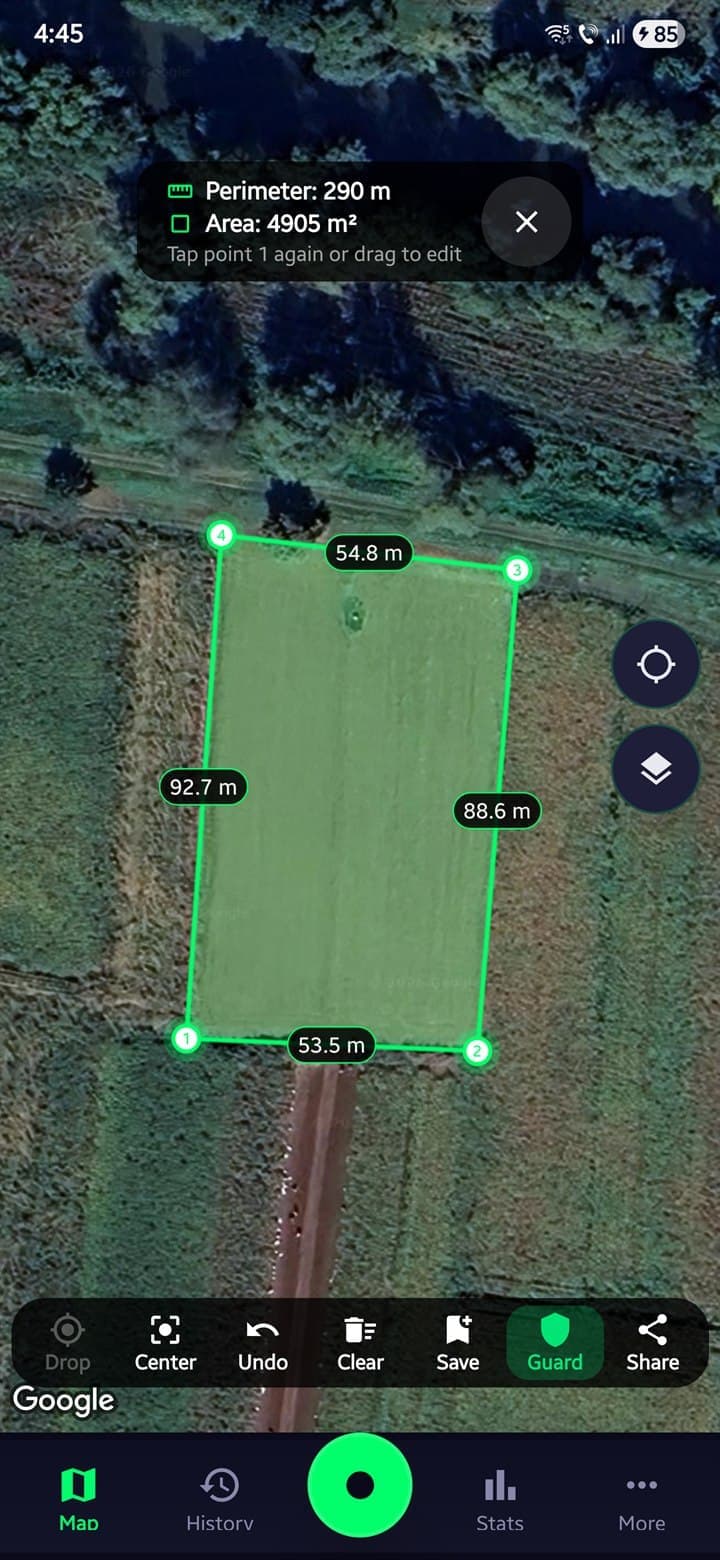
In the field
Your GPS path draws on the map as you walk, so covered ground stays visible. Perimeter Guard vibrates near the boundary you set. Pin each find with photo, depth, and signal.
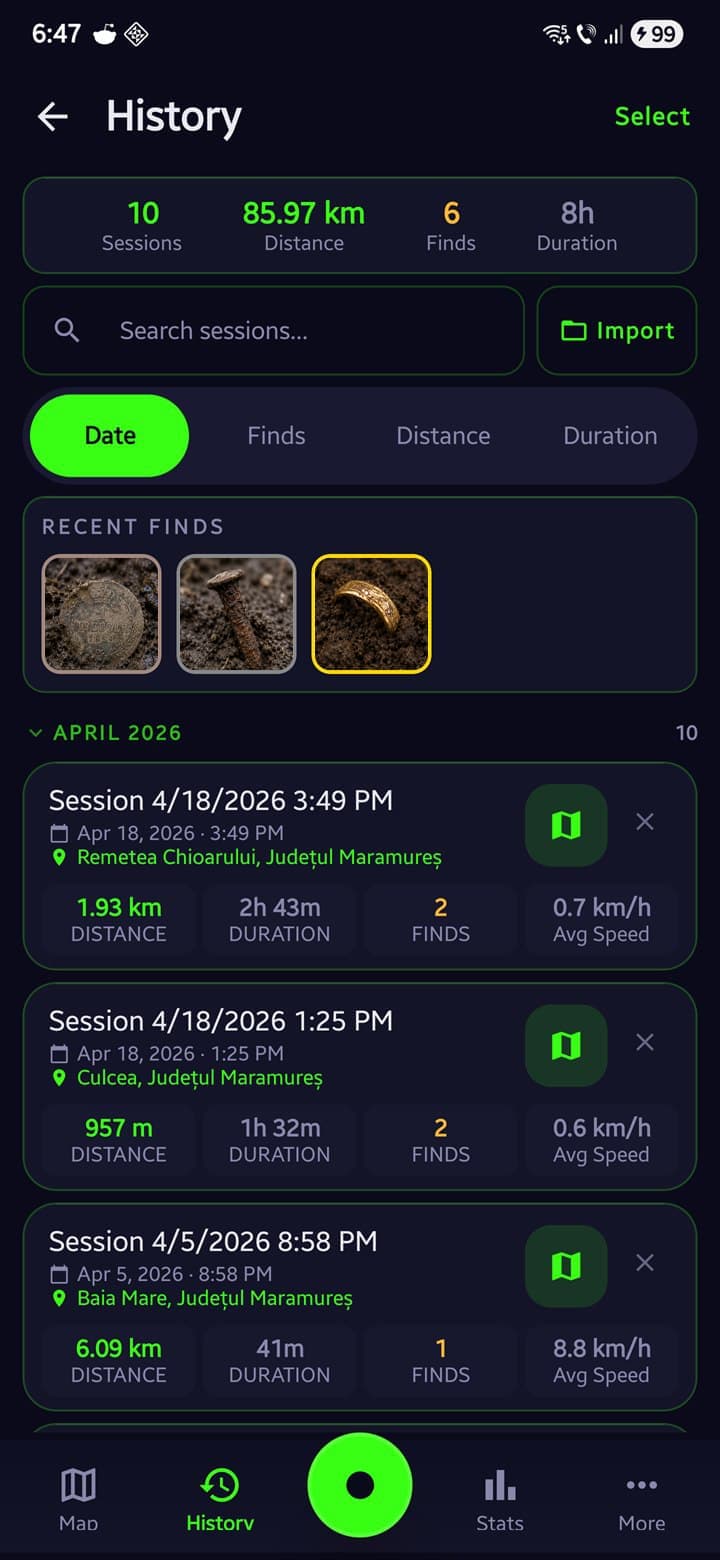
Back home
Overlay past sessions on one map to see uncovered ground. View session stats, generate a share card, and save an encrypted backup to Google Drive.
What it costs
- GPS Tracking · All 3 map types
- Sessions · 10 / month
- Find Logging · Basic
- Waypoints · Up to 5
- Permission Vault · 1 entry
- Join a Radar group
- Sessions · Unlimited
- Find Logging · Full record
- Finds Intelligence dashboard
- Map Overlays (import your own)
- Historical Map Overlay
- Offline Maps (4 sources)
- Perimeter Guard
- Cloud Backup (Google Drive)
- Host a Radar group
- Everything in Pro, for good
- Never renews, nothing to cancel
- Founder badge in the app
Compare every feature
Your spots stay secret
- Stored on your phone
- Sessions and finds, including where you found them, are kept on your device. There's no account and no advertising, and your data is never sold.
- Backups only you can unlock
- Turn on a passphrase and your backup uploads as AES-256 ciphertext only you can open. The key never leaves your phone.
- Share cards strip coordinates
- Share with the club group; the card shows the shape of your session, not the location.
- Radar groups auto-expire
- Positions show only to detectorists who join with your code, and joining puts you on the map too. After about 12 hours the group expires and stops sharing.
Who made it
I'm a detectorist and a designer, fifteen years on logos and brand identities. Coding is my off-hours hobby; I build Android apps with Claude. I wanted one made for detecting, not a hiking tracker with a new coat of paint. So I started building it. Figured if I like using it, someone else might too.
Lorandlorand.cc
Common questions
Didn't find your answer? Email support@sweeptrack.pro and the founder will reply.
Will GPS tracking drain my battery?
Active GPS tracking uses approximately 10–15% battery per hour, comparable to Google Maps in navigation mode. A power bank covers a full-day session. On Xiaomi, Samsung, OnePlus, and other devices that aggressively limit background apps, SweepTrack Pro detects the manufacturer and shows the exact battery setting required to keep tracking running with the screen off.
I'm new to metal detecting. Will this work for me?
Yes. The first-launch tutorial covers tracking, map controls, history, statistics, and other features across five slides. The Free tier covers GPS tracking, 10 sessions a month, and basic find logging, which is plenty to learn the app on. The Guides section of this site contains 30+ articles covering both the app and the hobby.
Does it work when I have no cell service?
Yes. Download map tiles in advance. Street, Satellite, Terrain, and USGS Historical Topo are all available for offline use. GPS tracking runs on the phone's hardware and requires no internet connection. The features that do require a connection are the Detecting Forecast, NOAA tide tables, and Radar live positioning.
Is my detecting data private and safe?
Your sessions, finds, and find locations are stored on your device. There are no ads, no third-party advertising trackers, and we never sell your data. Optional crash and usage diagnostics are anonymized, coordinate-scrubbed, and stay off until you turn them on. Radar live positioning is the one feature that shares your location, and only with the group you join by code, which auto-expires. The optional Google Drive backup writes to your own Google Drive account, which SweepTrack Pro cannot read; add a passphrase and it's encrypted on your phone before it uploads. Export to GPX, KML, CSV, or SweepTrack JSON is available at any time.
What's the difference between Free and Pro?
Free covers the basics: GPS tracking on all 3 base map types (Street, Satellite, Terrain), 10 recorded sessions a month, basic find logging (type, name, notes, and one photo), 5 waypoints, 1 Permission Vault entry, 3 themes (Steel, Copper, Tactical), and core field tools (compass, ruler, measure). Pro removes the limits and unlocks the recurring, high-value parts of detecting: unlimited sessions, the full find record (value, depth, weight, signal/VDI, soil type, audio, video, and multiple photos), unlimited waypoints, Finds Intelligence, your own map overlays, the USGS Historical Topo layer, offline maps, Track Overlay, Coverage Heatmap, session comparison, Perimeter Guard, the 7-day Detecting Forecast, NOAA tide tables, advanced statistics, Cloud Backup, Night Vision, 6 more themes, and full GPX/KML/CSV/JSON export. Pricing: $19.99/year or $2.99/month, with a free trial for eligible accounts set by Google Play.
Is there an iPhone version?
Not yet. SweepTrack Pro is currently Android-only. iPhone support is being evaluated but isn't on the roadmap with a release date. Join the launch list to be notified if and when an iOS version becomes available.
Can I see my whole detecting group on a live map?
Yes. That's Radar, built into SweepTrack Pro as one of the four buttons on your home map. One person starts a group and shares an 8-character code or QR. Everyone who joins shows up on the same map, with positions updating every 30 seconds or so. You see each member's distance and last-seen time, shared waypoints, a base pin for where the car is, quick pings (Look here, Regroup, Need a hand), an SOS that alerts the group with your location, a guide arrow and Retrace to get back to your start, and a countdown for leaving before dark. Joining is free for everyone. Hosting your own group needs Pro. Only people who joined with your code can see positions, nothing is public, and groups expire after about 12 hours.
What is SweepTrack Radar?
SweepTrack Radar is the free standalone version of Radar, the same live group map that's built into SweepTrack Pro. It's there so friends who don't own Pro can still join your group's map with a code or QR, no account needed. The safety side is free for good: the live map, SOS, the shared base point, Retrace, shared waypoints, pings, and guide arrows. Radar Premium adds hosting, faster updates, unlimited private saved spots, GPX track export, and the full color and marker set. If you already subscribe to SweepTrack Pro, Radar Premium comes free. Just open Pro once on the same phone.
How does the Permission Vault keep me from trespassing?
Each landowner permission stores name, contact, approval status, expiry date, and the site boundary drawn on the map. The Vault flags each permission as approved, ask-first, or denied, and highlights any that are expiring soon or already expired. A PDF permission letter can be generated for any landowner, and expiry dates can be added to the phone's calendar with one tap. Combined with Perimeter Guard, the phone vibrates near the boundary edge and plays an audio alarm when it is crossed.
How do historical maps help me find better spots?
The app overlays genuine historical topographic tiles onto modern satellite imagery. Old homesteads, schools, churches, roads, and settlements that may no longer appear on current maps become visible on the historical layer. Those locations often produce finds because they were inhabited; many are now undeveloped ground. Coverage is strongest across the United States, with historical map series for Romania too.
What does the Detecting Forecast actually measure?
The Detecting Forecast pulls weather data and generates a 0-100 Detecting Score with a rating: Excellent, Good, Fair, Poor, or Bad. The score factors in soil moisture (wet soil conducts target signals deeper), wind speed, temperature, and precipitation. Available for any location, up to seven days ahead. Tips explain why conditions favor or hinder detection.
How do I know if I've already covered an area?
Three ways. The Coverage Heatmap renders a color-coded density overlay of the current session: green indicates light coverage, red indicates concentrated coverage, blank indicates none. Track Overlay loads past sessions onto the live map so previously covered ground is visible. Session Comparison stacks 2 to 4 visits to the same area to highlight uncovered ground.
What are Waypoints?
Waypoints are personal pins you save on the map. Free includes 5; Pro makes them unlimited. Long-press anywhere to drop one, or save your current spot. Give it a name, notes, and one of 11 color-coded categories: historical building, old well, bridge, battlefield, homestead, church, foundation, trail, permission reference, investigate later, or other. Categories are color-coded on the map. The Waypoints screen lets you search, filter by category, and manage them in bulk. Open any pin to see its distance and bearing from where you stand, then navigate or share it in a tap. Waypoints export to GPX, KML, or CSV, and they're in your Google Drive backup. They're yours alone, separate from the shared waypoints in a Radar group.
Does the app support my specific detector?
SweepTrack Pro is a GPS tracker and field toolkit, not a detector controller. It works alongside any metal detector.
What does the Measure tool do?
Tap the map to drop points and measure distance along a path with per-segment labels. Tap point 1 again to close the path into a polygon. Perimeter and area are calculated in hectares or acres using spherical geometry. Vertices are draggable, measurements can be saved to the Library with a reverse-geocoded name, and any polygon converts to a Perimeter Guard boundary in one tap.
How does find logging work?
Tap the Find button to drop a GPS-pinned marker. Free logging covers the type (one of 6: Treasure, Gold, Coin, Relic, Jewelry, Trash), a name, notes, and one photo. Pro adds the full record: value, depth on a 0–40 cm slider, weight, signal/VDI, soil type, audio notes, video, and multiple photos. Every field is editable later. The Media Gallery groups photos, videos, and audio by date, and Find Search filters across sessions by name, type, or notes.
Metal detecting guides
Articles on finding sites, asking for permission, and using the app.
Take it on your next outing
It's free to install, and tracking works without Pro, so you can try it on a real session before you pay for anything.